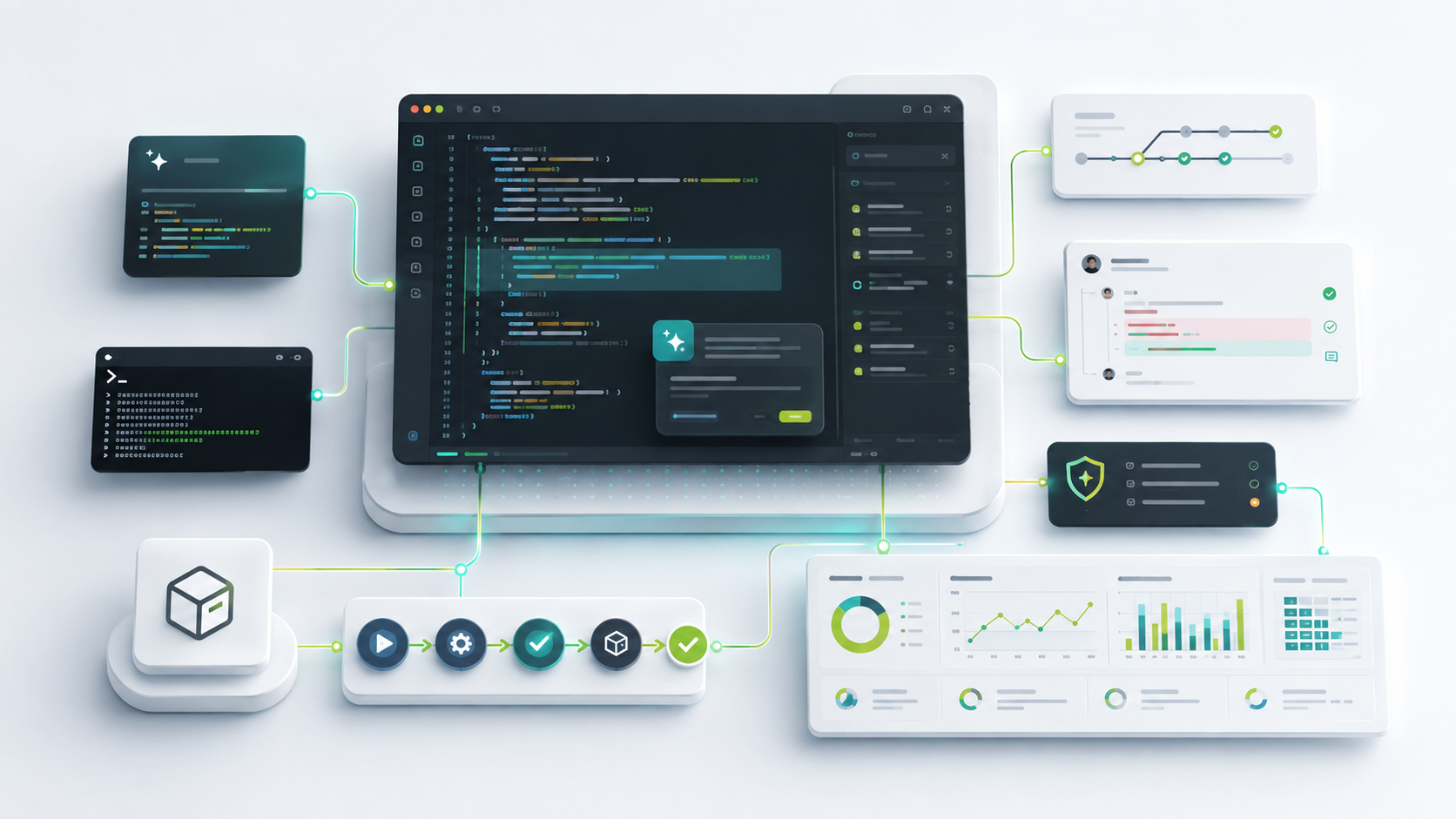
AI coding tools are no longer experimental side projects. They are becoming part of the development workflow: in the IDE, in pull requests, in the terminal, in security review, in documentation, and increasingly in agentic workflows that can plan and edit across a codebase.
That creates a new problem for developers and engineering leaders:
Which AI coding tools should we use, how should we compare them, and how do we integrate them without creating hidden risk?
The wrong answer is to pick a tool only because it writes code quickly. Speed matters, but AI-assisted development changes the whole delivery system. A tool that increases code output can also increase review load, rework, security findings, test maintenance, or cost if teams do not integrate and measure it properly.
This guide gives developers, engineering managers, platform teams, and CTOs a practical way to evaluate AI coding tools in 2026.
For measurement depth, see AI Impact, AI Code Attribution, How to Measure AI-Assisted Software Development, and How to Calculate ROI from AI Coding Assistants.
Table of Contents
- What Counts as an AI Coding Tool in 2026
- The Six Main Categories of AI Coding Tools
- How to Choose the Right AI Coding Tool
- How to Compare Popular AI Coding Tools
- The Integration Architecture Teams Need
- Security, Privacy, and Governance Questions
- How to Measure Real Impact
- A 30-60-90 Day Rollout Plan
- Common Mistakes to Avoid
- FAQ
What Counts as an AI Coding Tool in 2026
An AI coding tool is software that uses AI to support development work. That can include small suggestions, large refactors, repository-aware chat, test generation, code review, vulnerability remediation, documentation, and autonomous coding tasks.
In 2026, the important distinction is not "AI or no AI." The useful distinction is:
- Does the tool only suggest code?
- Does it understand the surrounding codebase?
- Can it operate across files?
- Can it run commands and tests?
- Can it create or update pull requests?
- Can teams govern what context it sees?
- Can leaders measure whether it improves outcomes?
That last point matters. AI coding tools can make a developer feel faster within minutes. Proving that the engineering system became healthier takes more work.
The Six Main Categories of AI Coding Tools
Most teams now evaluate a mix of tool types rather than a single product.
1. Autocomplete and Next-Edit Tools
These tools suggest lines, blocks, or edits while a developer works. They are useful for repetitive code, familiar patterns, boilerplate, test scaffolding, and small refactors.
Autocomplete is usually the easiest place to start because it fits inside the normal IDE workflow. It also has the lowest process impact: developers accept, reject, or edit suggestions while staying in control.
Use autocomplete when the work is local, well-scoped, and easy to validate.
2. IDE Chat Assistants
IDE chat tools answer questions about code, explain unfamiliar logic, generate snippets, suggest fixes, and help developers navigate a project.
They are useful when the developer knows the goal but needs context or implementation support. Chat becomes more valuable when it can reference selected files, symbols, terminal output, documentation, and repository context.
Use IDE chat when the task requires reasoning, explanation, or guided editing.
3. Coding Agents
Coding agents can take a goal, inspect the codebase, plan steps, edit files, run commands, and iterate on results. Cursor describes coding agents as systems that use a model, tools, and a harness to work through software tasks with tool calls. GitHub Copilot documentation also describes capabilities that include researching, planning, changing code, and creating pull requests for review.
Agents are useful for multi-file work, migrations, bug fixes, test creation, documentation updates, and repetitive implementation tasks. They also require more governance because they can change more of the system.
Use coding agents when the task is clear enough to delegate and the team has review, test, and rollback practices in place.
4. Code Review and Quality Assistants
Some AI tools focus on reviewing pull requests, explaining diffs, identifying risky changes, suggesting tests, or helping developers fix quality and security findings.
These tools are especially important because AI-assisted coding often moves the bottleneck from writing code to reviewing code. If teams adopt AI coding assistants without improving review and quality workflows, they may increase code volume faster than they increase delivery throughput.
Use review and quality assistants when AI adoption is increasing pull request volume, review time, or rework.
5. Security and Compliance Assistants
Security-oriented AI coding tools scan for vulnerabilities, explain risks, suggest remediations, or help developers apply secure patterns. Some tools also support policy validation, private deployment options, auditability, or controlled context access.
These capabilities matter for enterprises where code privacy, regulated data, licensing, and deployment control are buying requirements, not nice-to-have features.
Use security and compliance assistants when generated code enters regulated systems, critical services, or security-sensitive repositories.
6. AI Attribution and Measurement Tools
AI attribution tools help teams understand code origin: human-authored, AI-assisted, AI-generated, or mixed. This is becoming important because raw usage metrics do not explain engineering impact.
Attribution becomes more valuable when connected to:
- pull request size
- review comments
- rework
- code churn
- test coverage
- quality findings
- deployment flow
- incidents
For this layer, see AI Code Attribution, AI Impact, and How to Track AI-Generated Code.
How to Choose the Right AI Coding Tool
Start with workflow fit, not vendor hype. A tool that works beautifully for one team may be a poor fit for another because the engineering system is different.
1. Start With the Work Developers Actually Do
Map the tasks where AI can help:
- writing common code patterns
- generating tests
- explaining legacy code
- refactoring modules
- updating dependencies
- documenting APIs
- fixing lint and type errors
- creating pull request summaries
- investigating production issues
- migrating frameworks
Then separate simple work from complex work. Autocomplete may be enough for repetitive code. Agents may be better for codebase-wide changes. Chat may be better for investigation.
2. Match the Tool to the Developer Environment
The best AI coding tool is the one developers can use without context switching. Evaluate support for:
- VS Code
- JetBrains IDEs
- Visual Studio
- terminal workflows
- GitHub or GitLab workflows
- cloud development environments
- remote containers
- mobile or browser-based agent review
If your team is standardized on JetBrains, JetBrains AI Assistant or tools with strong JetBrains support may matter more. If your workflow lives in GitHub, GitHub Copilot will likely be evaluated early. If your team wants agent-first editing inside an AI-native editor, Cursor may be on the shortlist.
3. Evaluate Codebase Context
AI coding tools are only as useful as the context they can safely access.
Ask:
- Can the tool index the repository?
- Can it reference multiple files?
- Can developers attach selected context?
- Can it use documentation?
- Can it respect ignored files and sensitive paths?
- Can it understand monorepos?
- Can administrators control context sharing?
Poor context creates plausible but wrong code. Better context improves suggestions, but it also increases governance requirements.
4. Compare Agent Capabilities Carefully
Agentic tools are not just better autocomplete. They change the development workflow.
Compare whether the agent can:
- search the codebase
- edit multiple files
- run tests
- run terminal commands
- create branches
- open pull requests
- explain its plan
- ask for approval
- recover from errors
- preserve developer control
Cursor, Claude Code, OpenAI Codex, GitHub Copilot agent workflows, JetBrains AI Assistant agents, Gemini Code Assist agent mode, Amazon Q Developer, and Tabnine Agent all belong somewhere in this broader agentic conversation. They differ in where they run, how they use context, what controls they expose, and which ecosystems they fit best.
5. Check Security and Data Controls Before Rollout
Before you roll out an AI coding tool to a company, answer these questions:
- What code can the tool access?
- Is code used for model training?
- Where is data processed?
- Can admins disable sensitive repositories?
- Are prompts and outputs logged?
- Can logs be exported or deleted?
- Does the tool support SSO and role-based administration?
- Can the tool run in private cloud, VPC, or on-premise environments?
- Does the vendor support audit and compliance needs?
Do this before the pilot expands. Security review after broad adoption is much harder.
6. Understand Pricing and Cost Drivers
AI coding tools are often priced by user, usage, token volume, model tier, agent execution, or enterprise plan. The hidden cost is not only subscription spend. It can also include:
- increased review load
- more CI usage
- larger pull requests
- more generated tests to maintain
- more security review
- model overage
- tool sprawl
- enablement time
If you are tracking AI budget, see AI Token Usage and Cost Monitoring.
How to Compare Popular AI Coding Tools
This section is not a ranking. It is a practical comparison lens. Tool capabilities change quickly, so validate current features, pricing, and terms directly with each vendor before making a purchase.
GitHub Copilot
GitHub Copilot is often the first AI coding tool considered by GitHub-centric teams. According to GitHub's own documentation, Copilot supports IDE suggestions, chat, command-line help, pull request descriptions, shared context through Copilot Spaces, and agent workflows that can research, plan, make code changes, and create pull requests for review.
Best fit:
- teams already standardized on GitHub
- developers who want IDE assistance and GitHub-native workflows
- organizations that want broad adoption with familiar tooling
- teams that want AI support in pull requests and repository workflows
Watch-outs:
- measure impact beyond seat adoption
- track whether PR review load changes
- compare Copilot usage with quality and delivery outcomes
Relevant Oobeya pages: GitHub Copilot impact, GitHub integration, AI Impact.
Cursor
Cursor is an AI-native code editor and coding agent environment. Its documentation emphasizes codebase understanding, planning and building features, debugging, reviewing changes, customization with rules and MCPs, and workflow connections to systems such as GitHub, GitLab, Azure DevOps, Bitbucket, JetBrains, Slack, and Linear.
Best fit:
- teams that want an agent-first editor experience
- developers who want repo-aware planning and editing
- teams experimenting with multi-file AI workflows
- startups and product teams that value speed of iteration
Watch-outs:
- define when agent-created changes require human checkpoints
- keep generated PRs small enough to review
- track whether Cursor-heavy workflows improve cycle time or create review pressure
Relevant Oobeya pages: Cursor impact tracking, AI Impact, AI Code Attribution.
Claude Code
Claude Code is commonly evaluated by teams that want command-line or agentic development workflows with strong reasoning over code. Anthropic's Claude Code documentation includes CLI workflows, session continuation, SDK-style usage, and MCP configuration.
Best fit:
- developers comfortable working from the terminal
- teams delegating scoped coding tasks to an agent
- code investigation, refactoring, and implementation workflows
- organizations exploring MCP-connected development tools
Watch-outs:
- define terminal command approval rules
- avoid vague prompts for large code changes
- require tests and diff review before merge
Relevant Oobeya pages: Claude AI coding assistant metrics, Claude Code integration.
OpenAI Codex
OpenAI Codex is a coding agent that can run locally through the CLI and in other Codex surfaces. OpenAI's help documentation describes Codex CLI as a local tool that can read, modify, and run code, with approval modes for different levels of human control.
Best fit:
- developers who want a terminal-based coding agent
- teams that want local project workflows
- codebase exploration, bug fixing, refactoring, and test work
- organizations that need explicit review of file and command changes
Watch-outs:
- configure approval modes carefully
- keep task scope clear
- review generated diffs the same way you would review a human PR
Relevant Oobeya pages: AI coding assistants, AI Impact.
JetBrains AI Assistant
JetBrains AI Assistant is relevant for teams standardized on IntelliJ IDEA, PyCharm, WebStorm, GoLand, Rider, and other JetBrains IDEs. JetBrains documentation describes AI Chat, in-editor assistance, code insights, routine automation, and coding agents that can handle multi-step development tasks.
Best fit:
- JetBrains-heavy engineering teams
- JVM, backend, data, mobile, and polyglot teams in JetBrains IDEs
- teams that want AI inside the IDE they already use
- organizations that want flexible model and agent configuration
Watch-outs:
- validate edition and IDE compatibility
- standardize usage patterns across teams
- measure whether IDE adoption translates into delivery outcomes
Amazon Q Developer
Amazon Q Developer is especially relevant for AWS-heavy teams. AWS documentation describes IDE assistance, code suggestions, feature implementation, test generation, documentation updates, vulnerability scanning, code upgrades, and AWS environment support.
Best fit:
- teams building and operating on AWS
- cloud platform teams
- developers who need AWS service and architecture context
- organizations that want coding assistance plus AWS operational support
Watch-outs:
- note AWS's announced end-of-support timeline for Amazon Q Developer IDE plugins on April 30, 2027 and validate migration guidance before long-term IDE standardization
- evaluate how AWS-specific context fits non-AWS repositories
- measure security remediation quality and developer adoption separately
Gemini Code Assist
Gemini Code Assist is relevant for teams using Google Cloud, Android Studio, VS Code, or JetBrains IDEs. Google documentation describes code completions, conversational help, debugging, documentation, unit test generation, source citations, and agent mode for complex tasks in supported editions.
Best fit:
- Google Cloud teams
- Android and cloud application teams
- organizations that value IDE support plus source citation features
- teams evaluating Gemini models in developer workflows
Watch-outs:
- validate current edition availability and migration notices
- review data handling and source citation behavior
- compare Google Cloud value against general-purpose coding workflows
Tabnine
Tabnine is often evaluated by teams with strong privacy, compliance, and deployment-control requirements. Its documentation highlights IDE-based completions and chat, enterprise usage reporting, personalization, private deployment options, and Tabnine Agent for autonomous tasks in supported IDEs.
Best fit:
- enterprises prioritizing privacy and control
- teams needing SaaS, VPC, or on-premise options
- organizations that want IDE assistance with administrative controls
- regulated environments evaluating AI coding assistance cautiously
Watch-outs:
- validate which features are available in SaaS versus private deployment
- decide which repositories can be indexed
- compare model flexibility, agent behavior, and reporting needs
The Integration Architecture Teams Need
Choosing an AI coding tool is only half the work. The bigger question is how the tool fits into the engineering system.
A practical integration model has eight layers.
1. Identity and Access
Connect AI coding tools to the organization's identity provider. Use SSO, role-based access, group management, and offboarding controls. AI access should follow the same seriousness as repository access.
Relevant systems may include Okta, Microsoft Entra ID, Active Directory, LDAP, SAML, and internal access management.
2. IDE and Local Workflow
Standardize installation, policy, workspace indexing, and allowed features. Developers should know when autocomplete is allowed, when agents are allowed, and which repositories are restricted.
The IDE is where code-origin signals often start. If you want attribution, collect the signal close to the development workflow rather than trying to infer everything from Git later.
3. Repository and Pull Request Systems
Connect GitHub, GitLab, Azure DevOps, Bitbucket, or other repository systems. This is where AI-assisted work becomes visible to the team through commits, branches, diffs, pull requests, review comments, and merge outcomes.
Repository integration is essential for measuring:
- AI-assisted pull request share
- review time
- pull request size
- review comments
- code churn
- merge patterns
- rework after merge
4. Project and Planning Systems
Connect Jira, Azure Boards, ServiceNow, or other planning systems. Without planning context, AI activity can look productive even when it is not advancing important work.
Planning context helps answer:
- Which AI-assisted work was tied to roadmap items?
- Did AI improve cycle time for planned work?
- Did AI create unplanned rework?
- Are teams using AI more on defects, chores, features, or refactors?
5. CI/CD and Release Systems
Connect pipeline and deployment systems such as GitHub Actions, GitLab CI/CD, Jenkins, Azure Pipelines, TeamCity, ArgoCD, or Octopus Deploy.
AI coding tools should be measured against delivery flow:
- build success rate
- test failure rate
- deployment frequency
- lead time for changes
- release stability
- rollback patterns
6. Quality and Security Systems
Connect SonarQube, SonarQube Cloud, Fortify, Veracode, Snyk, or other quality and security tools. AI-generated code should pass the same quality bar as human-authored code.
The key question is not whether AI wrote more code. It is whether AI-assisted code is maintainable, tested, secure, reviewed, and stable.
7. Observability and Incident Systems
Connect incidents, errors, availability, and recovery signals from systems such as New Relic, Datadog, Dynatrace, Sentry, Elastic APM, Azure Application Insights, AppDynamics, or ServiceNow.
This helps teams understand whether AI-assisted changes are associated with production issues, faster recovery, or more stable delivery.
8. Engineering Intelligence Layer
Finally, connect these signals into an engineering intelligence layer. This is where teams can compare AI adoption with delivery, quality, rework, cost, and team-level outcomes.
Without this layer, AI tooling measurement often stops at usage:
- seats assigned
- active users
- suggestions accepted
- chat messages sent
- agent tasks started
Those are useful adoption metrics, but they do not prove engineering impact. For that, teams need AI Impact, AI Code Attribution, DORA metrics, and broader engineering metrics.
Security, Privacy, and Governance Questions
AI coding tools change who or what can read, generate, and modify code. Treat that as an engineering governance topic.
Before approving a tool, ask:
Data and Context
- What source code can the tool access?
- Does it index local workspaces, cloud repositories, or both?
- Can admins exclude repositories, files, or secrets?
- Are prompts, suggestions, and generated code retained?
- Can the vendor use customer code for model training?
Controls
- Does the tool support SSO?
- Can admins control features by group or repository?
- Can agents run terminal commands?
- Are command approvals required?
- Can teams audit agent actions?
- Can generated changes be rolled back?
Compliance
- Does the vendor publish security documentation?
- Are SOC 2, GDPR, ISO, or other compliance requirements relevant?
- Are private cloud, VPC, or on-premise options available?
- What happens when developers paste sensitive data?
- How are third-party models handled?
Intellectual Property
- Does the tool provide source citations or similarity detection?
- How does it reduce license risk?
- What indemnification or IP terms apply?
- How should developers validate generated output?
These questions do not mean teams should avoid AI coding tools. They mean AI adoption should be managed like any other important engineering platform.
How to Measure Real Impact
The simplest AI coding dashboard is usually the least useful one. It shows adoption, but not outcomes.
Good measurement connects three layers.
1. Adoption Metrics
Track whether developers are using the tools:
- active users
- suggestions accepted
- chat usage
- agent tasks started
- AI-assisted commits
- AI-assisted pull requests
- AI code share
Adoption metrics answer: "Are people using it?"
2. Workflow Metrics
Track how AI changes the development process:
- pull request size
- review time
- review comments
- requested changes
- rework before merge
- cycle time
- code churn
- test failure rate
- build failure rate
Workflow metrics answer: "What changed in the system?"
3. Outcome Metrics
Track whether AI improves engineering results:
- lead time for changes
- deployment frequency
- change failure rate
- time to restore service
- escaped defects
- release predictability
- quality trend
- developer experience
- cost per accepted outcome
Outcome metrics answer: "Did this make engineering better?"
The strongest AI coding tool programs look at all three layers together. High adoption with worse review time is not success. Faster coding with higher defect escape rate is not success. More pull requests with unchanged lead time is a signal to investigate, not a reason to celebrate.
A 30-60-90 Day Rollout Plan
First 30 Days: Controlled Pilot
Choose a small group of teams and define the pilot clearly.
Do:
- select representative teams
- document approved use cases
- define restricted repositories
- train developers on prompting and review expectations
- capture baseline metrics before rollout
- review legal, security, and data terms
- agree on success criteria
Avoid:
- giving every team every tool immediately
- judging success by sentiment alone
- using generated code without normal review
- skipping baseline measurement
Days 31-60: Workflow Integration
Move from tool usage to workflow measurement.
Do:
- connect repository and pull request data
- connect CI/CD and quality systems
- review AI-assisted PR patterns
- measure review load
- compare cycle time before and after adoption
- check whether generated tests are maintainable
- collect developer feedback
Avoid:
- counting accepted suggestions as business value
- ignoring reviewer experience
- letting AI-generated work bypass quality gates
- expanding before security concerns are resolved
Days 61-90: Scale With Guardrails
Decide whether to expand, refine, or pause.
Do:
- define team-level AI usage standards
- publish review and testing expectations
- create guidelines for agentic workflows
- monitor AI cost and token usage
- compare outcomes across teams
- report adoption and impact separately
- update procurement and governance policies
Avoid:
- forcing one tool on every workflow
- comparing developers by AI usage
- treating AI as a replacement for engineering judgment
- ignoring teams where AI creates more rework than value
Common Mistakes to Avoid
Mistake 1: Choosing Based on Demo Speed
A demo can make any AI coding tool look impressive. Real evaluation happens inside your repository, with your code quality standards, tests, architecture, and review process.
Mistake 2: Measuring Only Usage
Usage does not equal value. A tool can have high adoption while creating larger pull requests, longer review cycles, and more rework.
Mistake 3: Rolling Out Agents Without Review Rules
Agents can change many files quickly. That is useful, but it increases the need for small tasks, clear prompts, tests, diff review, and rollback discipline.
Mistake 4: Ignoring Reviewers
AI often increases authoring speed before it improves review capacity. Senior engineers can become the hidden bottleneck if the organization measures code generation but not review pressure.
Mistake 5: Treating All Code the Same
AI assistance may work well for tests, documentation, simple UI changes, and boilerplate, but require stricter review for security-sensitive code, infrastructure changes, data access, and critical systems.
Mistake 6: Forgetting Cost Governance
Advanced models, agents, and heavy usage can create unpredictable spend. Track token usage, model cost, and adoption patterns before finance notices the bill first.
Mistake 7: Skipping Attribution
If teams cannot tell which work was AI-assisted, they cannot compare AI-assisted changes with review, quality, rework, and delivery outcomes. Attribution is the bridge between adoption data and engineering impact.
A Practical Comparison Checklist
Use this checklist before choosing or renewing an AI coding tool.
Developer Experience
- Does it work in the IDEs developers already use?
- Is it fast enough to stay in flow?
- Does it support autocomplete, chat, and multi-file editing?
- Can developers control context?
- Does it improve common daily tasks?
Agentic Capability
- Can it plan work?
- Can it edit multiple files?
- Can it run tests?
- Can it explain changes?
- Can it ask for approval?
- Can it create pull requests?
- Can it recover from errors?
Enterprise Control
- Does it support SSO and admin controls?
- Can teams restrict repositories and data?
- Are audit logs available?
- Does it support private deployment where needed?
- Are data retention and training policies clear?
Integration
- Does it connect to Git, pull requests, CI/CD, quality, ticketing, and security data?
- Can engineering leaders measure impact beyond adoption?
- Can AI-assisted work be tied to delivery outcomes?
- Can teams compare tools consistently?
Measurement
- Can you establish a pre-rollout baseline?
- Can you track AI-assisted pull requests?
- Can you compare review load and cycle time?
- Can you measure quality and rework?
- Can you report cost and ROI?
Where Oobeya Fits
Oobeya is not a replacement for AI coding tools. Developers will still choose tools such as GitHub Copilot, Cursor, Claude Code, JetBrains AI Assistant, Gemini Code Assist, Amazon Q Developer, Tabnine, OpenAI Codex, and others based on their workflow.
Oobeya sits above that tool layer.
It helps teams answer the questions that tool dashboards usually do not answer:
- Is AI-assisted development reducing cycle time?
- Are AI-assisted pull requests easier or harder to review?
- Is generated code increasing code churn?
- Are quality findings changing?
- Are teams using AI on valuable work or low-impact tasks?
- Is AI adoption improving DORA metrics?
- Which assistants are associated with better outcomes?
- How much is AI usage costing?
- Where do governance risks appear?
That is why AI coding tools should be measured inside the broader engineering system, not in isolation.
Start with:
- AI Impact
- AI Code Attribution
- AI Token Usage and Cost Monitoring
- AI Coding Assistants
- Engineering Metrics
Further Reading
- GitHub Copilot documentation
- Cursor documentation
- Claude Code CLI documentation
- OpenAI Codex CLI documentation
- JetBrains AI Assistant documentation
- Amazon Q Developer documentation
- Gemini Code Assist documentation
- Tabnine documentation
FAQ
What is the difference between an AI coding assistant and a coding agent?
An AI coding assistant usually helps with suggestions, chat, explanation, and local edits. A coding agent can take a broader goal, inspect the codebase, plan steps, edit files, run commands, and iterate on results. In practice, many products now include both assistant and agent capabilities.
Should every developer use the same AI coding tool?
Not always. Standardization simplifies security, procurement, and reporting, but different teams may need different tools. A GitHub-heavy team, a JetBrains-heavy backend team, an AWS platform team, and an agent-first product team may reasonably choose different tools. The important part is to measure impact consistently.
Are AI coding tools safe for enterprise code?
They can be, but only with the right controls. Review data handling, model training policies, repository access, logging, SSO, auditability, private deployment options, and approval workflows before broad rollout.
How do we know whether AI coding tools are improving productivity?
Measure adoption, workflow, and outcomes together. Look at active usage, AI-assisted pull requests, review time, cycle time, code churn, quality findings, DORA metrics, escaped defects, and developer experience. Do not rely on accepted suggestions alone.
What should we integrate first?
Start with identity, IDE policy, repositories, pull requests, CI/CD, and code quality systems. Then connect planning, incidents, observability, token usage, and AI attribution. This gives teams enough context to see whether AI-assisted work is improving the software delivery system.
How does AI code attribution help?
AI code attribution helps teams understand which code was human-authored, AI-assisted, AI-generated, or mixed. When connected to pull requests, review, quality, and delivery data, attribution makes it possible to evaluate AI impact with evidence instead of assumptions.
Continue Exploring

Written by Sukru Cakmak
Sukru Cakmak is the Co-Founder & CTO of Oobeya. He works closely on the platform's technical direction, engineering intelligence capabilities, and the practical challenges of measuring software delivery, developer productivity, and AI-assisted development across modern SDLC environments.